
4. Configuring the Scope of Synchronization
 Click [Setting].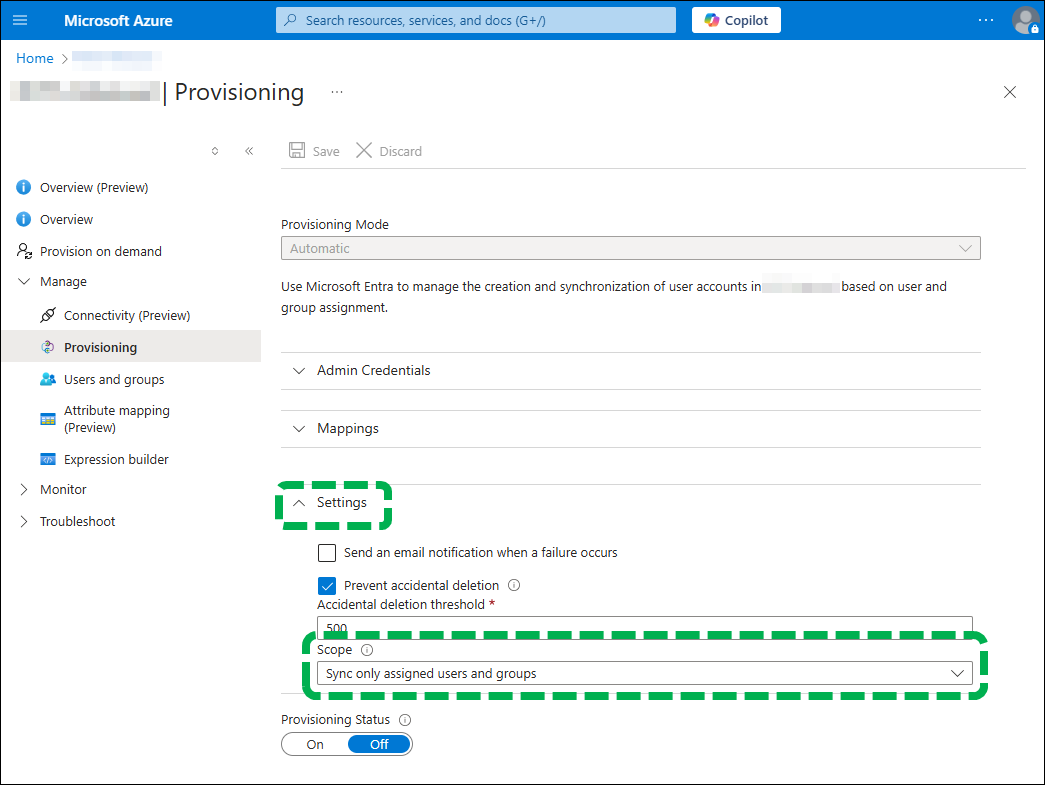
 Click [Scope] to select range to synchronize from the
drop-down list.
Click [Scope] to select range to synchronize from the
drop-down list.
- To synchronize all users, set "Sync all users and groups".
-
To synchronize only the users assigned to the enterprise application, set "Sync only assigned users
and groups".
- Perform assignment from the "Users and groups" item in the enterprise application.
- To assign a group to the enterprise application, Microsoft Entra ID Premium P1 or P2 edition is required.

- If a group is synchronized, the users/groups directly belonging to the group will also be synchronized. The users/groups belonging to a group directly belonging to the group to be synchronized with (that is, those that have no direct relationship with the group to be synchronized with) will not be synchronized.
 Click [Save].