1. Creating an Enterprise Application
 From Microsoft Azure Portal, open Microsoft Entra ID.
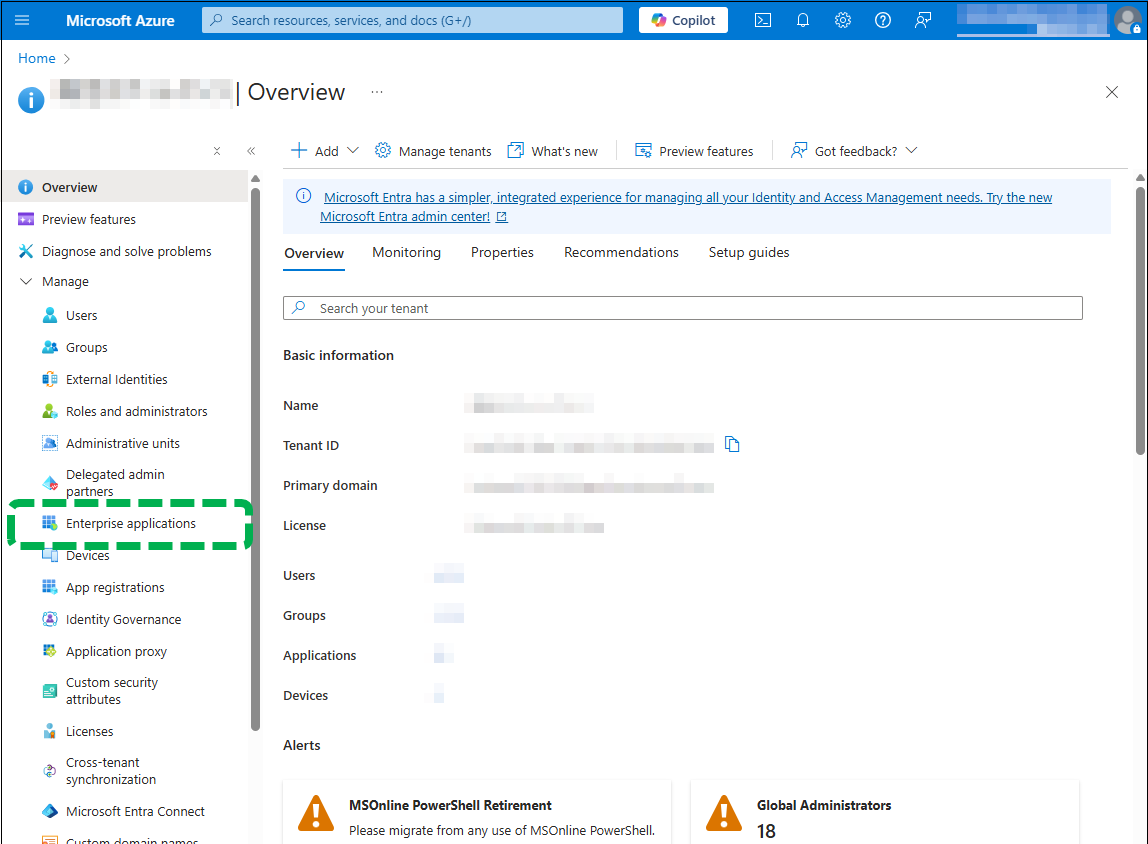
 On the left pane, click [Enterprise applications].
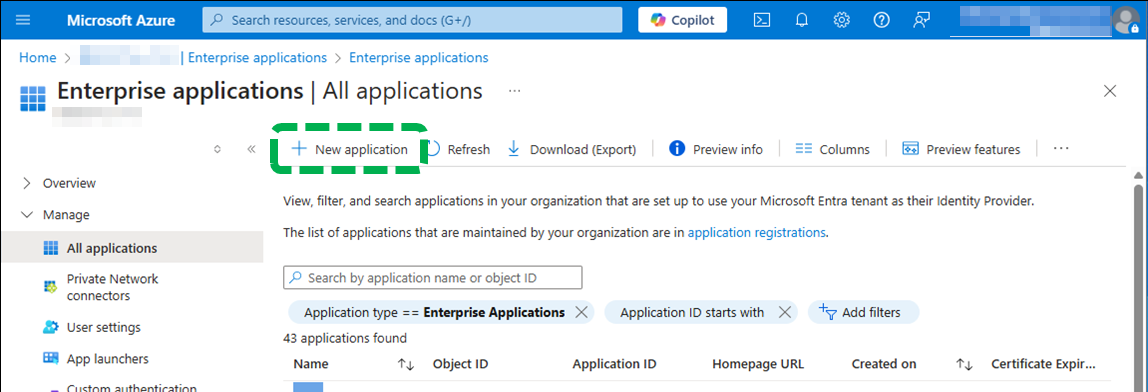
 Click [New application].
 Click [Create your own application].

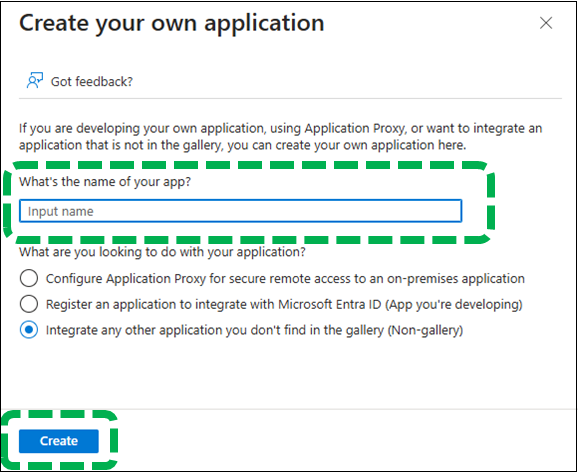
 In the "What's the name of your app?" field, enter an
app name, and then click [Create].
In the "What's the name of your app?" field, enter an
app name, and then click [Create].